Scope
Timeline
Aug 2024
Role

Planting the Seeds of Financial Literacy: A Garden of Learning
In a world where financial literacy is important yet often flies over our heads, I set out to solve a growing problem: how do we teach young children about money in a way that's both engaging and effective?
The Challenge
Let's face it: teaching kids about money is about as easy as getting them to eat vegetables: it's nowhere near fun, it's boring. Abstract concepts, short attention spans, and, let's be honest, a less-than-thrilling subject matter. I needed a solution that would:
Capture short attention spans.
Leverage children's love for games and rewards.
Cater to visual learners.
Accommodate limited reading skills.
Involve parents in the learning process.
Provide parents with tools to teach and monitor financial habits.

My Approach
They love watching things grow 🌱
They're obsessed with collecting things 🪙
They can't resist a good game 🎮
So I thought, why not combine all three? And throw in some life lessons while we're at it!

My Solution
I designed a digital garden where financial literacy blossoms, with interfaces for both children and parents. The app concept transforms saving money into a delightful gardening experience.
Child Interface:
Earning Through Chores: Children complete daily chores at home to earn real money from their parents.
Real-World Savings: Kids save their earned money in a personal physical savings box.
Digital Tracking: Children update their savings in the app, connecting real-world actions to digital growth.
Planting the Seed: Each savings goal becomes a seed in the child's virtual garden.
Nurturing Growth: As children update their savings, their plants grow, sprouting vibrant leaves.
Weathering Withdrawals: When money is taken out of savings, leaves fall from the tree, visually representing the impact of spending.
Harvesting Rewards: Completing a week-long saving streak rewards them with a cute virtual pet to care for.
Parent Interface:
Chore Setting: Parents set and assign daily chores for their children.
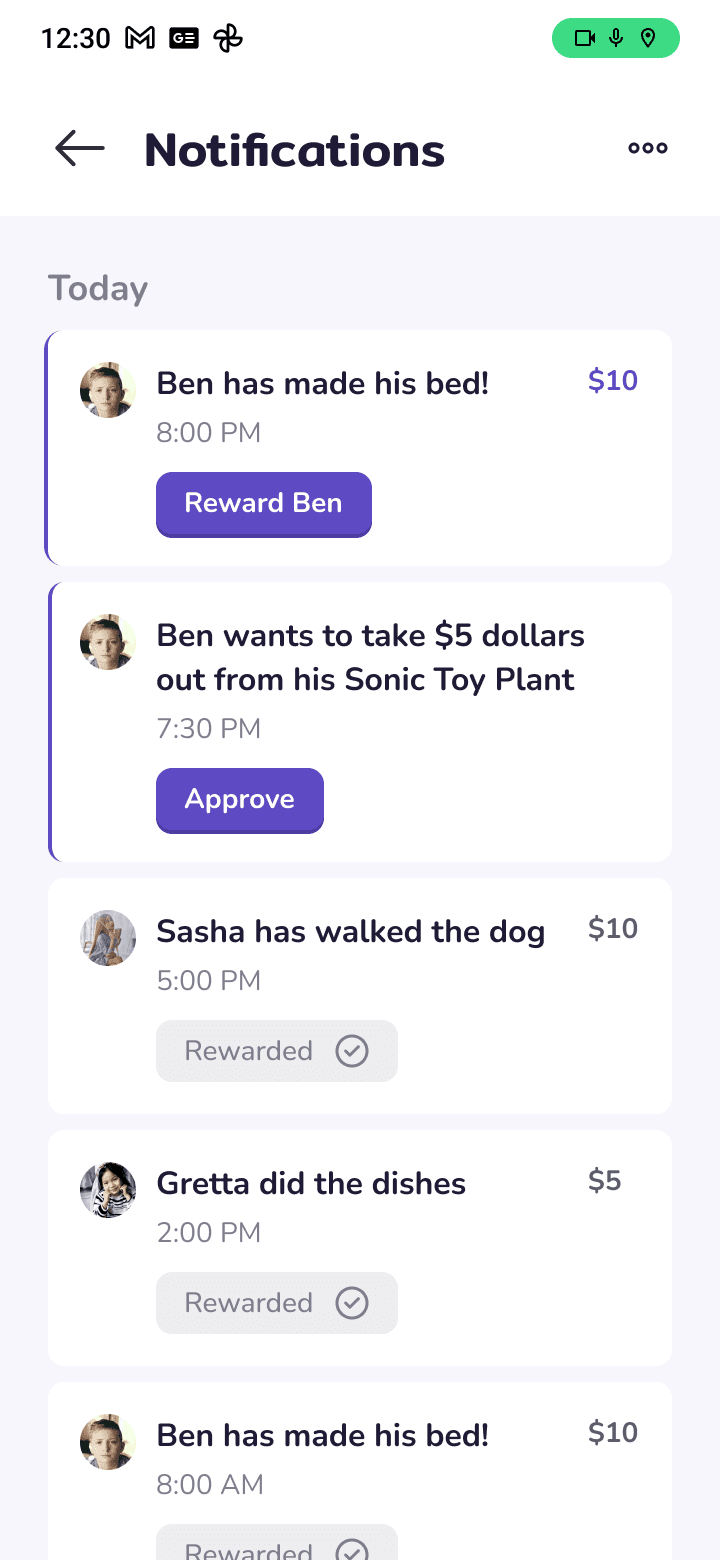
Approval System: Parents receive notifications to approve completed chores and withdrawal requests.
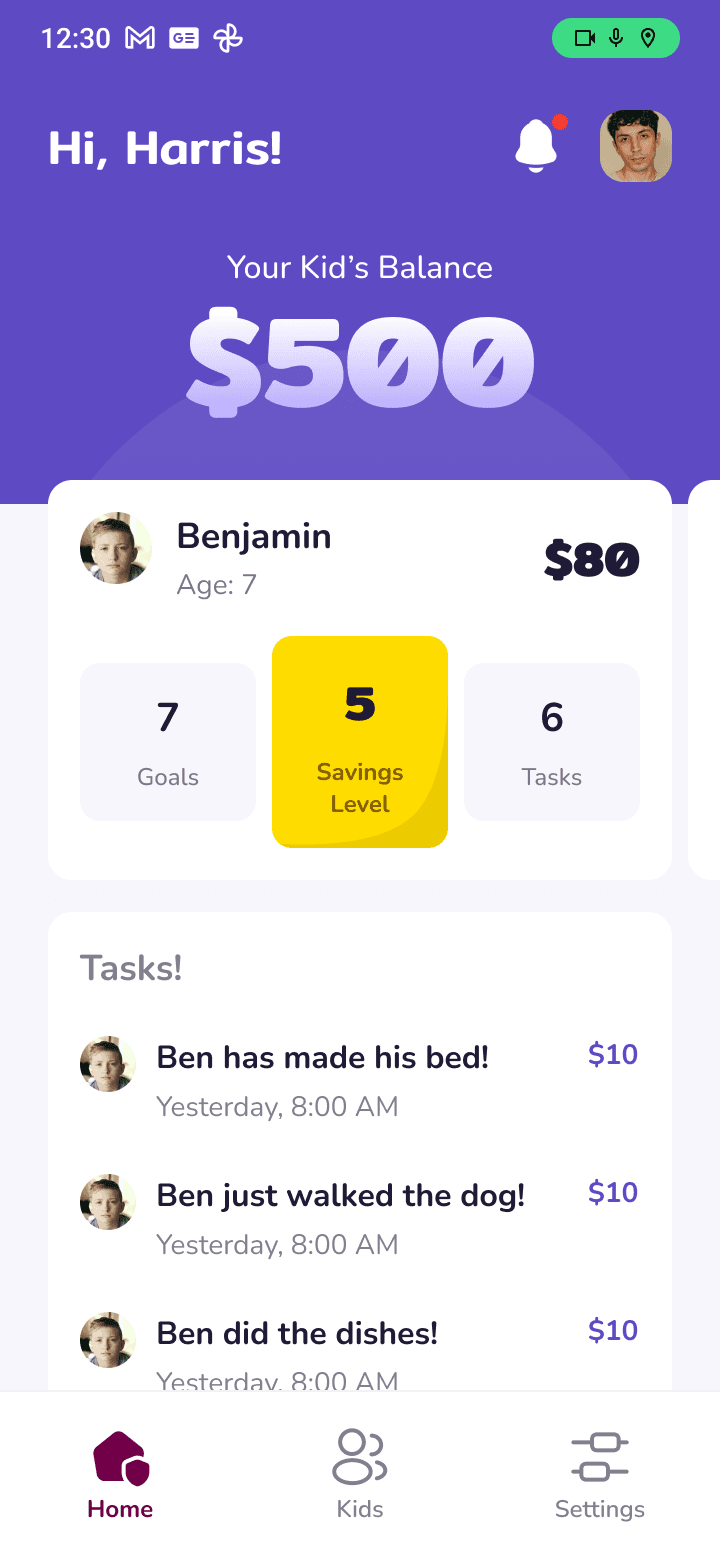
Garden Oversight: Parents can view and monitor their children's gardens and overall financial progress.
The Magic of Metaphor 🌱
As a child once, oh, the joy I felt watching things grow! I would plant pots of beans all around the house and mull over the fact that they never grew. Little did I know that I had bad watering habits.
So, by linking this natural fascination of kids to financial concepts, I created a learning tool:
Chores = Earning Opportunity: Teaching the value of work and earning.
Physical Savings Box = Tangible Money Management: Bridging the gap between physical and digital money concepts.
Growing Plants = Growing Savings: A visual representation of financial progress.
Falling Leaves = Spending Impact: A tangible way to show how withdrawals affect savings.
Gardening Care = Financial Responsibility: Teaching the value of consistent effort.
Pet Rewards = Long-term Benefits: Illustrating the rewards of financial discipline.
Garden - Child Interface
Daily chores with checkboxes and associated earnings.
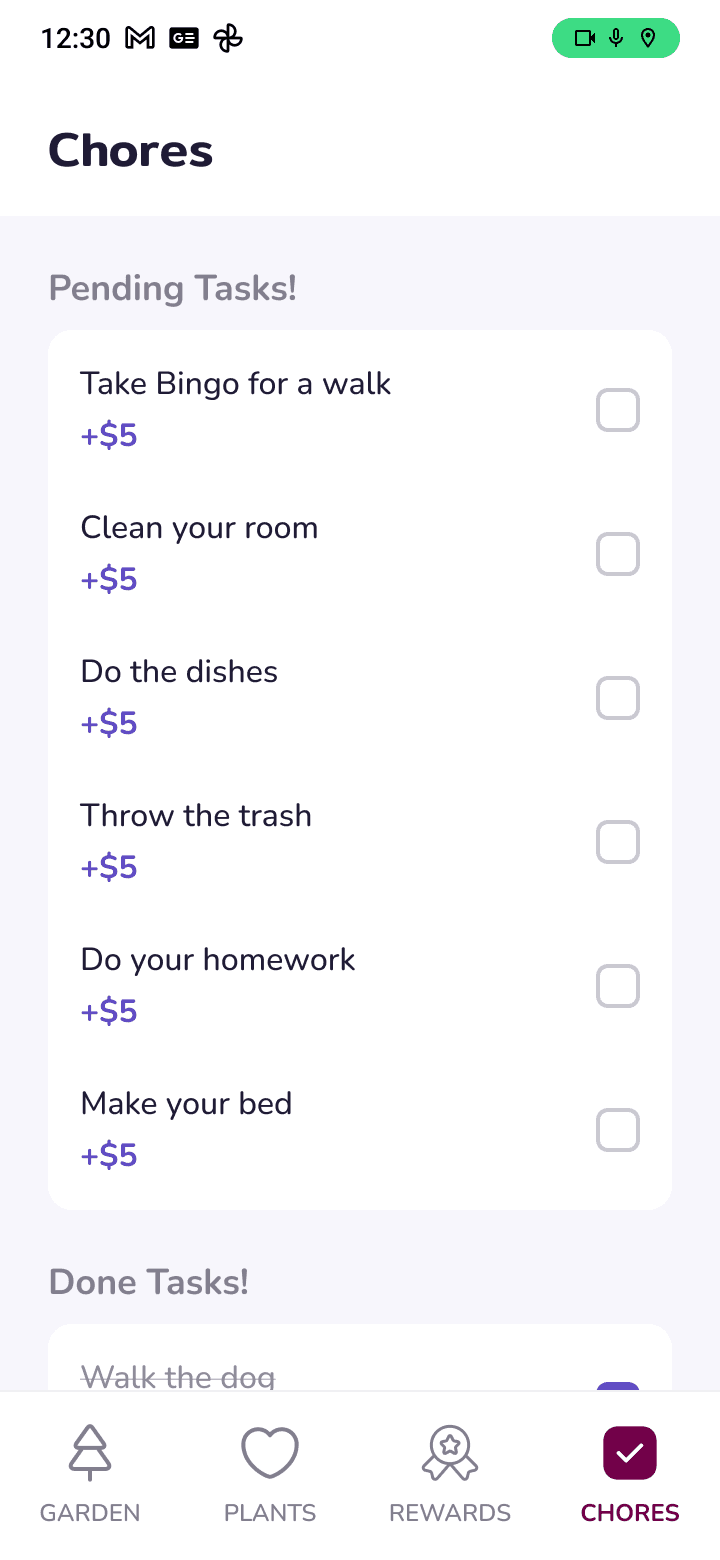
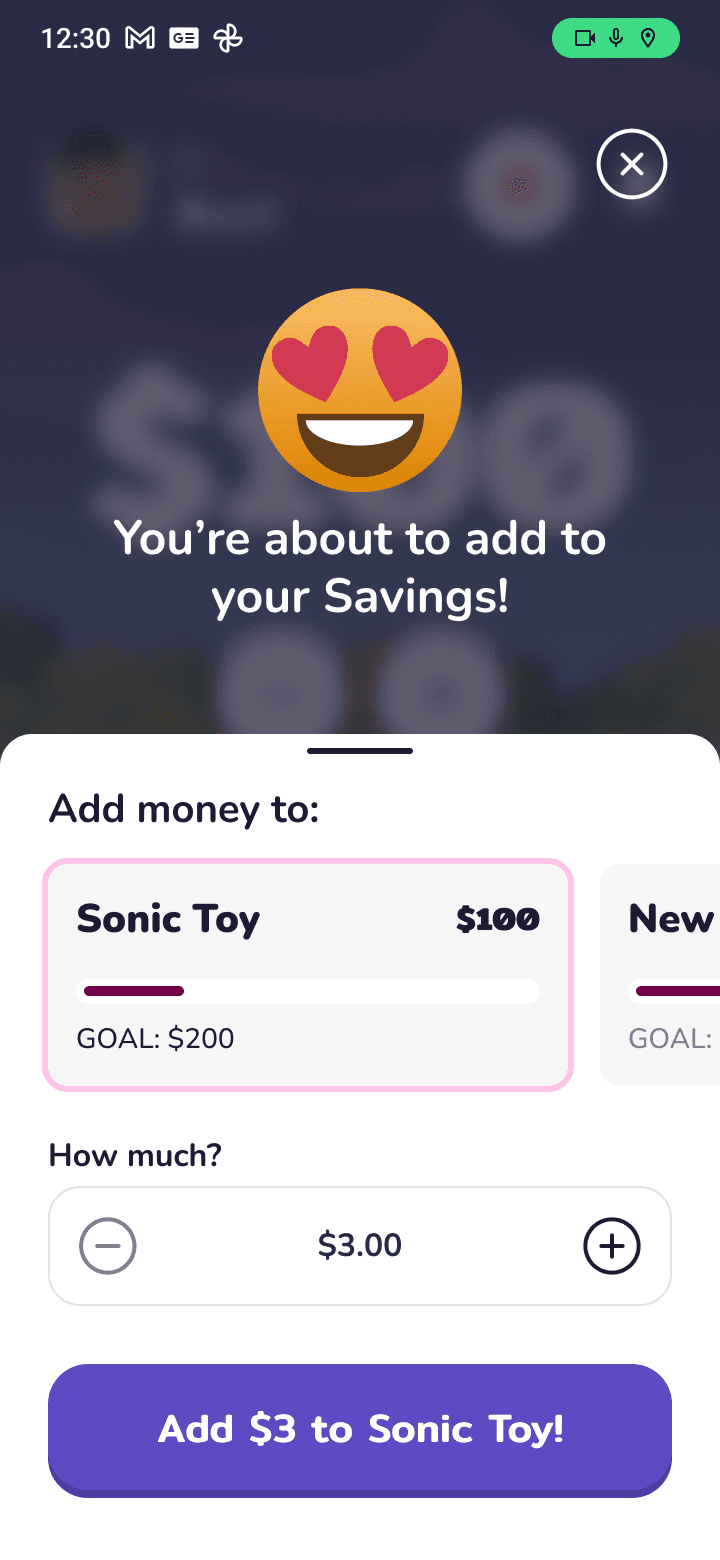
Screen for updating savings amount from physical box
Main garden with plants representing various savings goals
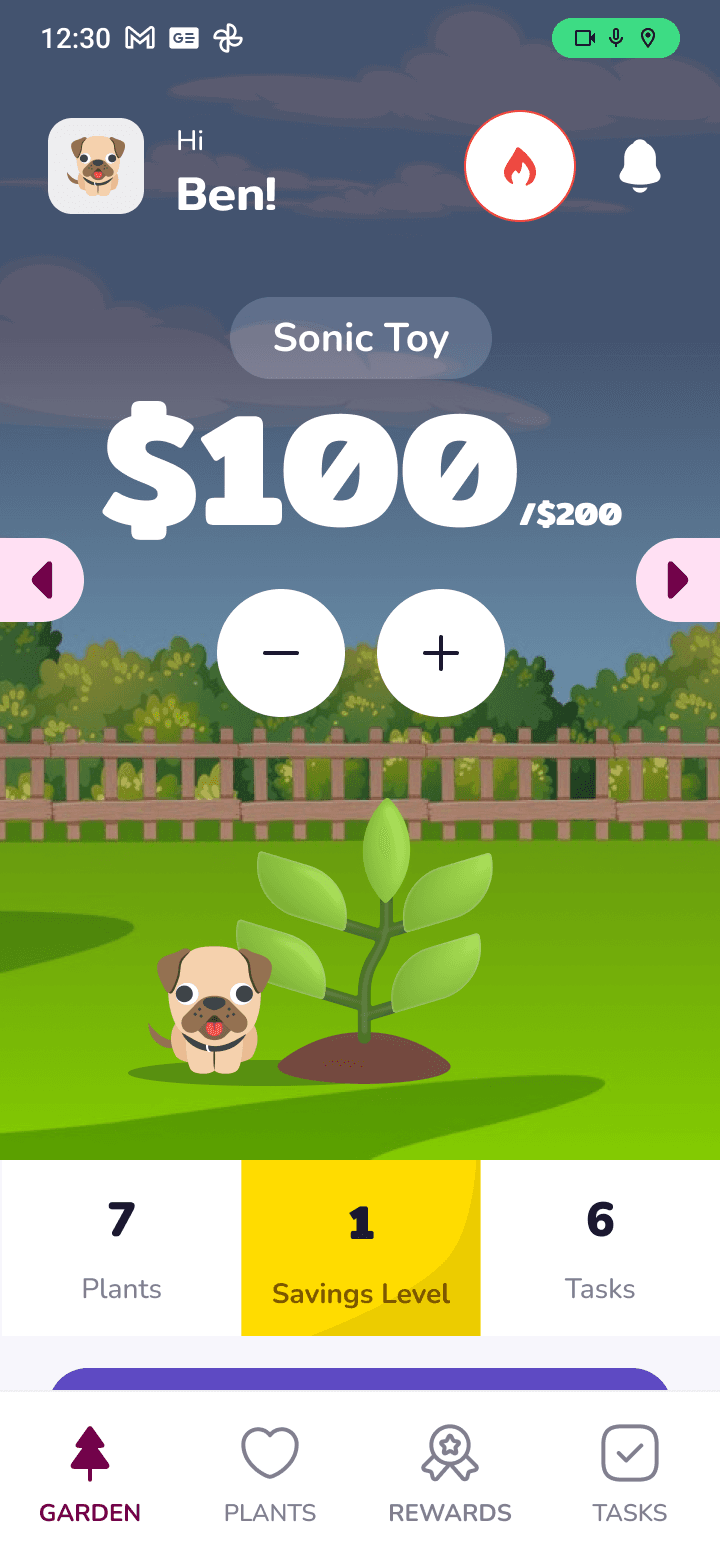
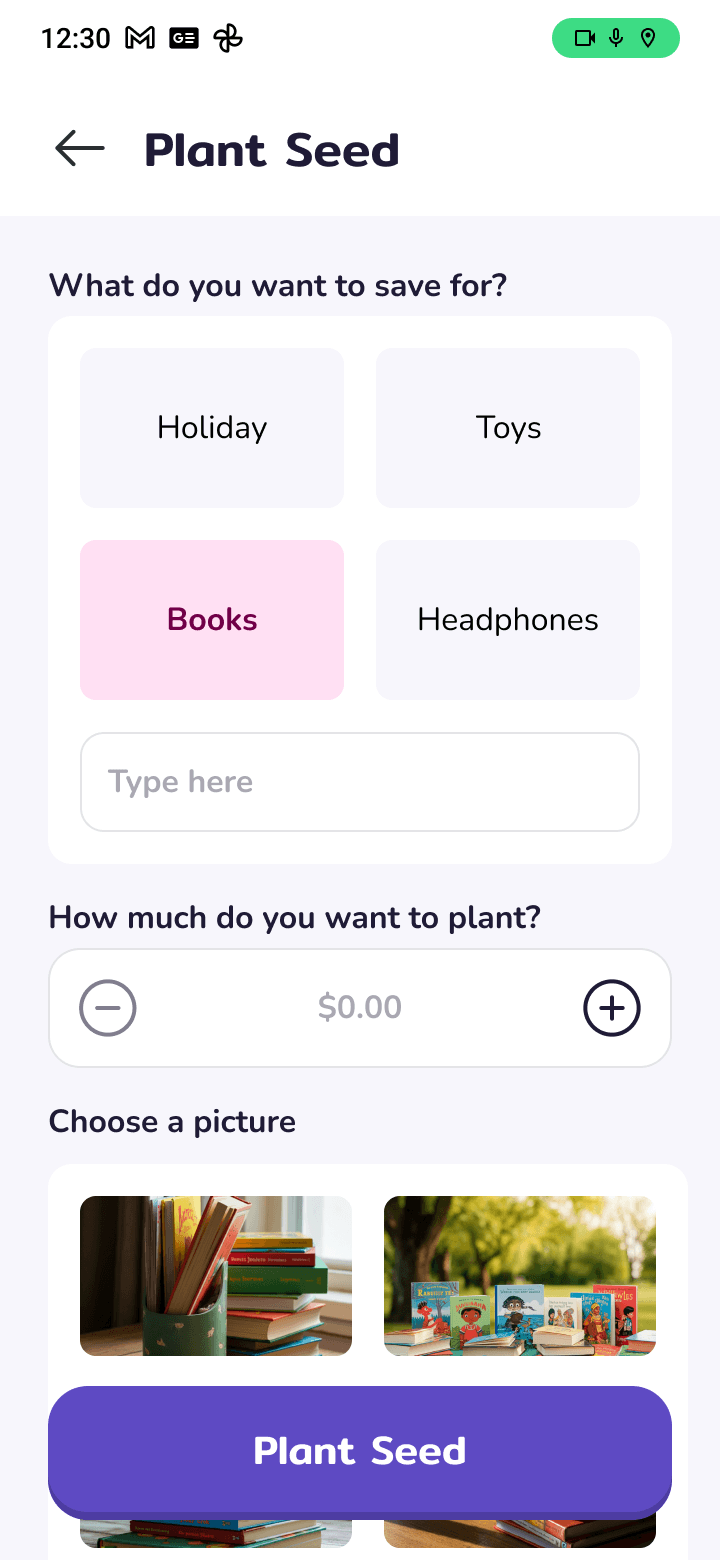
Screen for setting a new savings goal and planting a new seed
View of a specific plant, showing savings progress and growth stages.
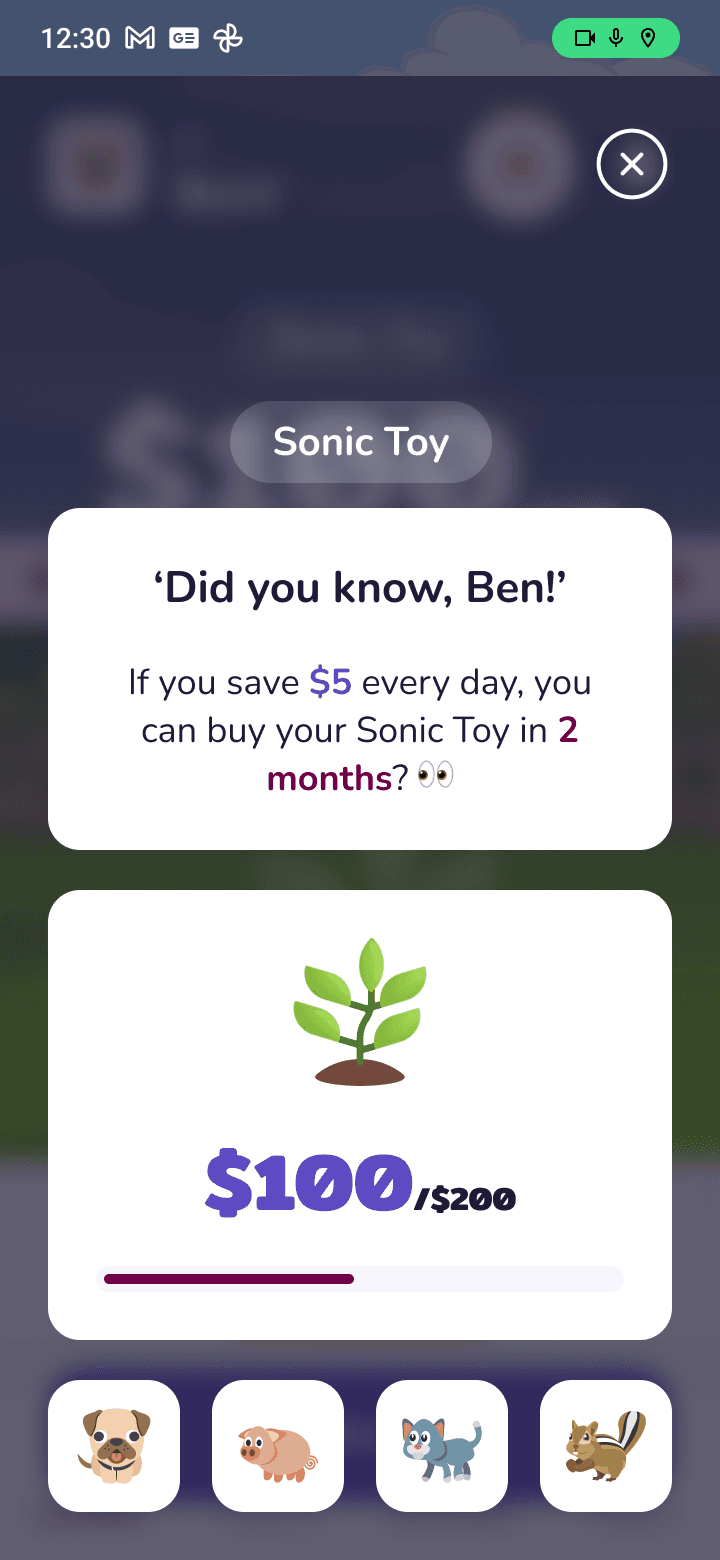
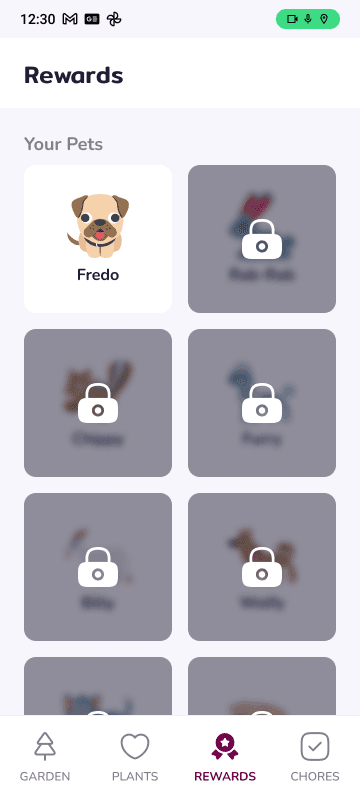
Earned virtual pet after a successful saving streak

Parent Interface
Overview of all children's savings, and chore completion status.
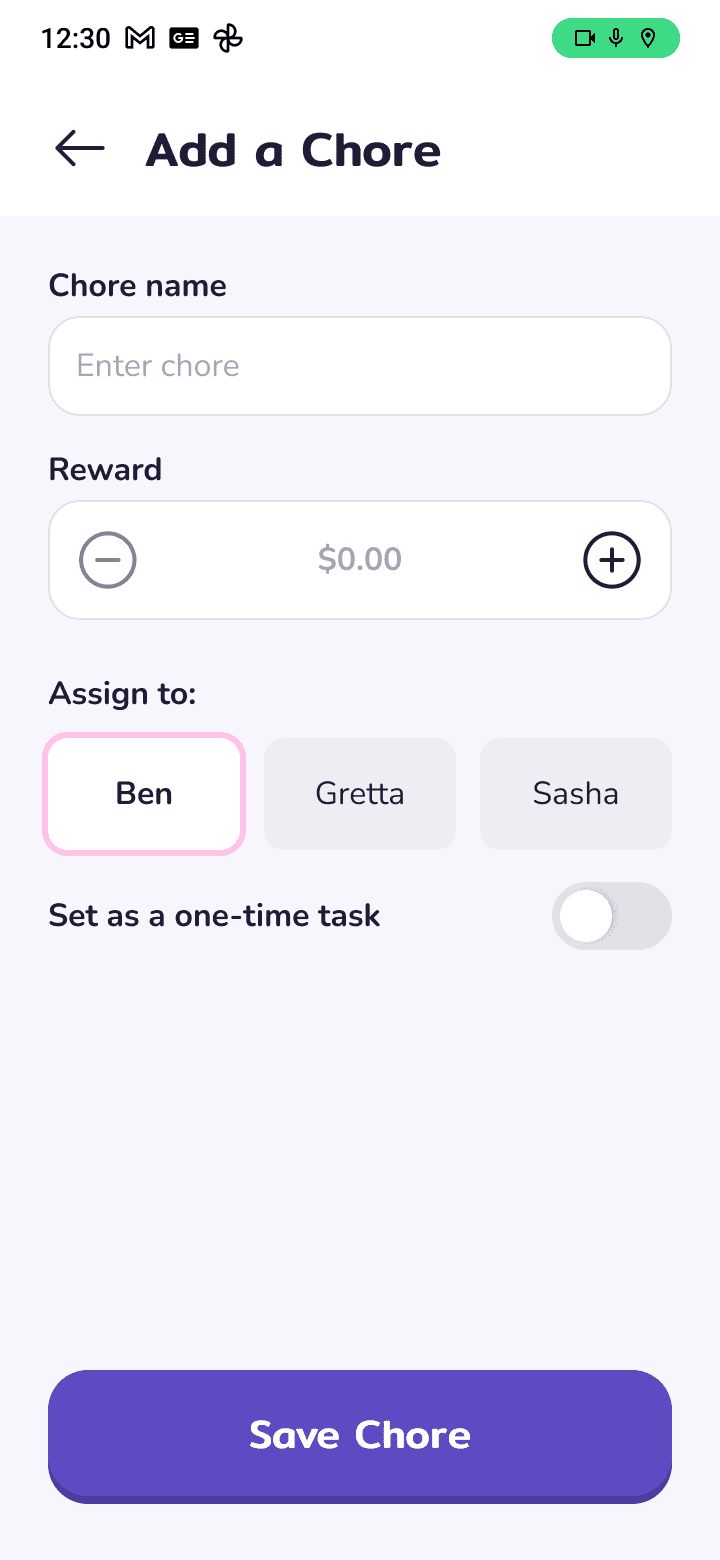
Parents can set and assign chores to their children.
Alerts and approval for chore completions and withdrawal requests.
For a child to use Garden, a parent/guardian would create an account they would use for monitoring their child.
Afterwards, they can add their children to the app by creating a personalized username and password that the children will then use to login on their own. These are the onboarding pages.
I aimed to make the presentation simple and straight to the point. So, pages like parent/child onboarding and other pages have been intentionally left out.
Future Growth?
While this app is currently a conceptual side project and hasn't been developed or tested yet, I’m excited about its potential. I envision it fostering engagement and improving understanding of saving concepts among kids.

Like to learn more about this project, the challenges, the process?
Next Project